
Description
EzyBiz LEX is a business phone line and answering service built for Smokeball firms. Calls come in on your firm's own number and ring through to your mobile, and your answering service picks up whenever you can't. Once the caller hangs up, EzyBiz LEX saves the call into Smokeball as contacts, matters, tasks, memos, AutoTime entries and calendar events, so the phone in your pocket and the file work together instead of living in two places.
Switch between three call modes Available/Screen/Unavailable at any time.
- Available: Calls ring straight to your mobile
- Screen: Your answering service identifies the call-reason and passes legitimate calls to you
- Unavailable: When your in court, with a client, or out of hours, your answering service can add new leads, create callback tasks, or book an appointment.
This enables clearer communication with your clients, whilst ensuring you're only taking the important calls.
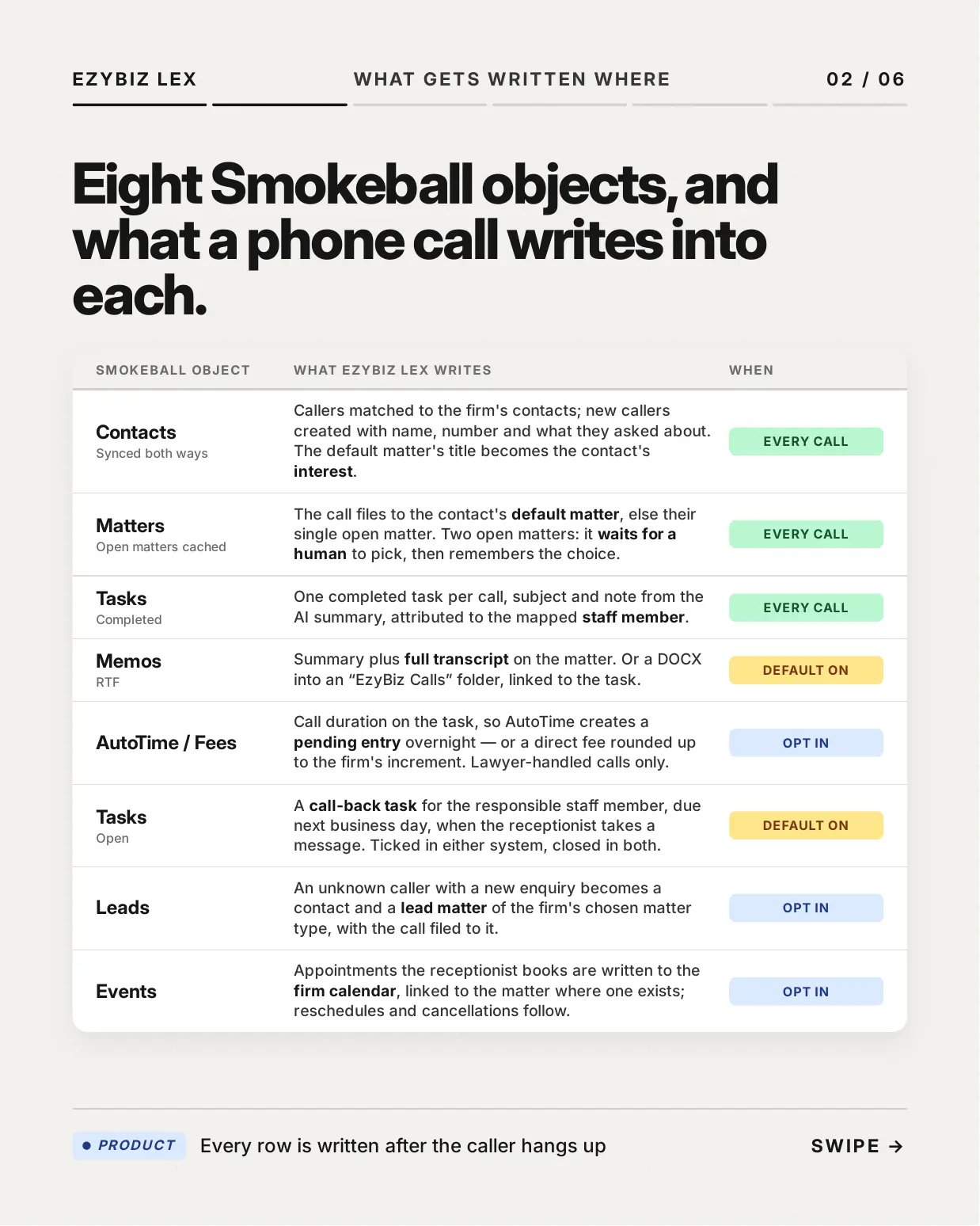
What a phone call writes into Smokeball
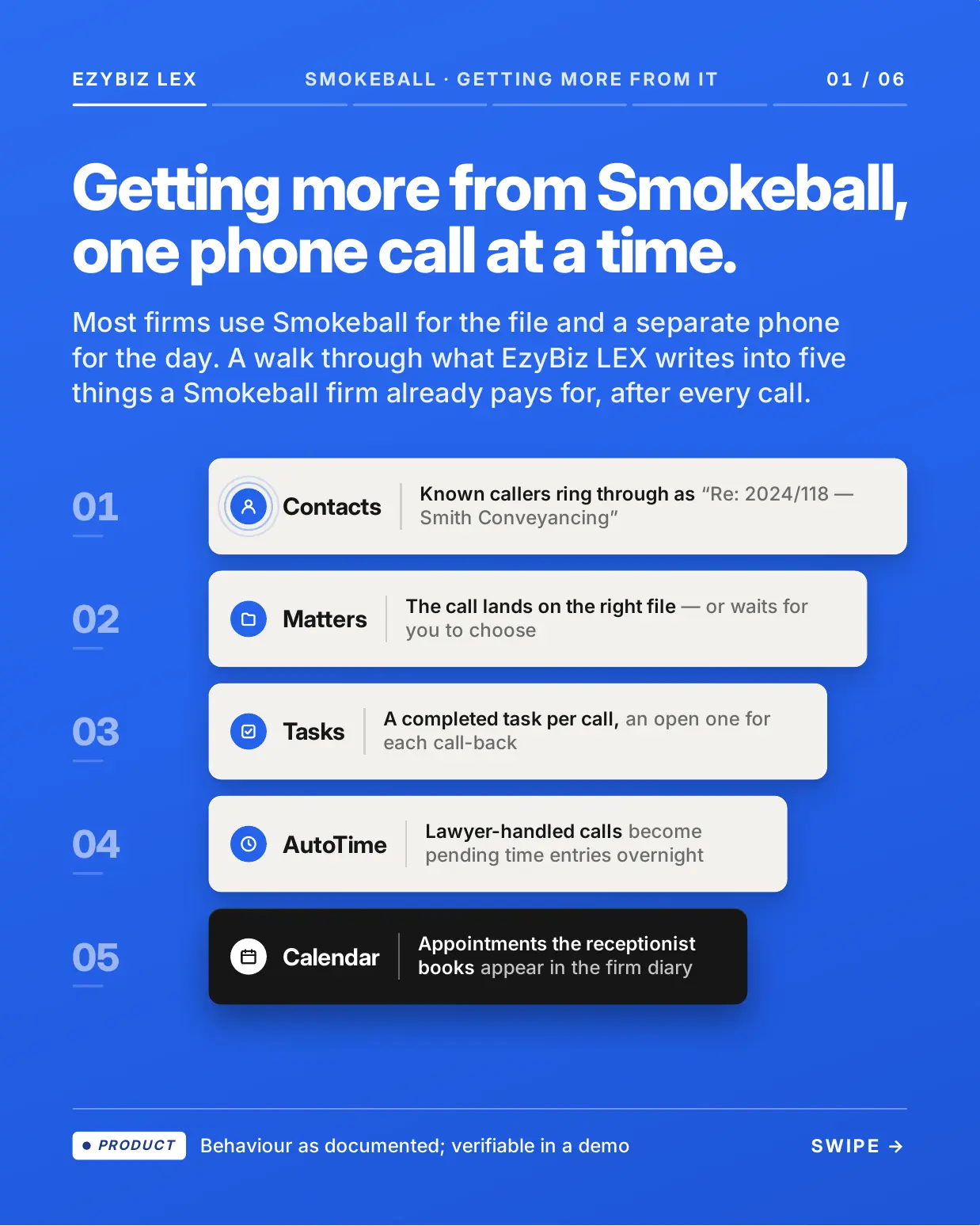
- Contacts, synced both ways. Callers are matched to the firm's Smokeball contacts, and new callers are created with their name, number and what they asked about. The default matter's title becomes the contact's interest.
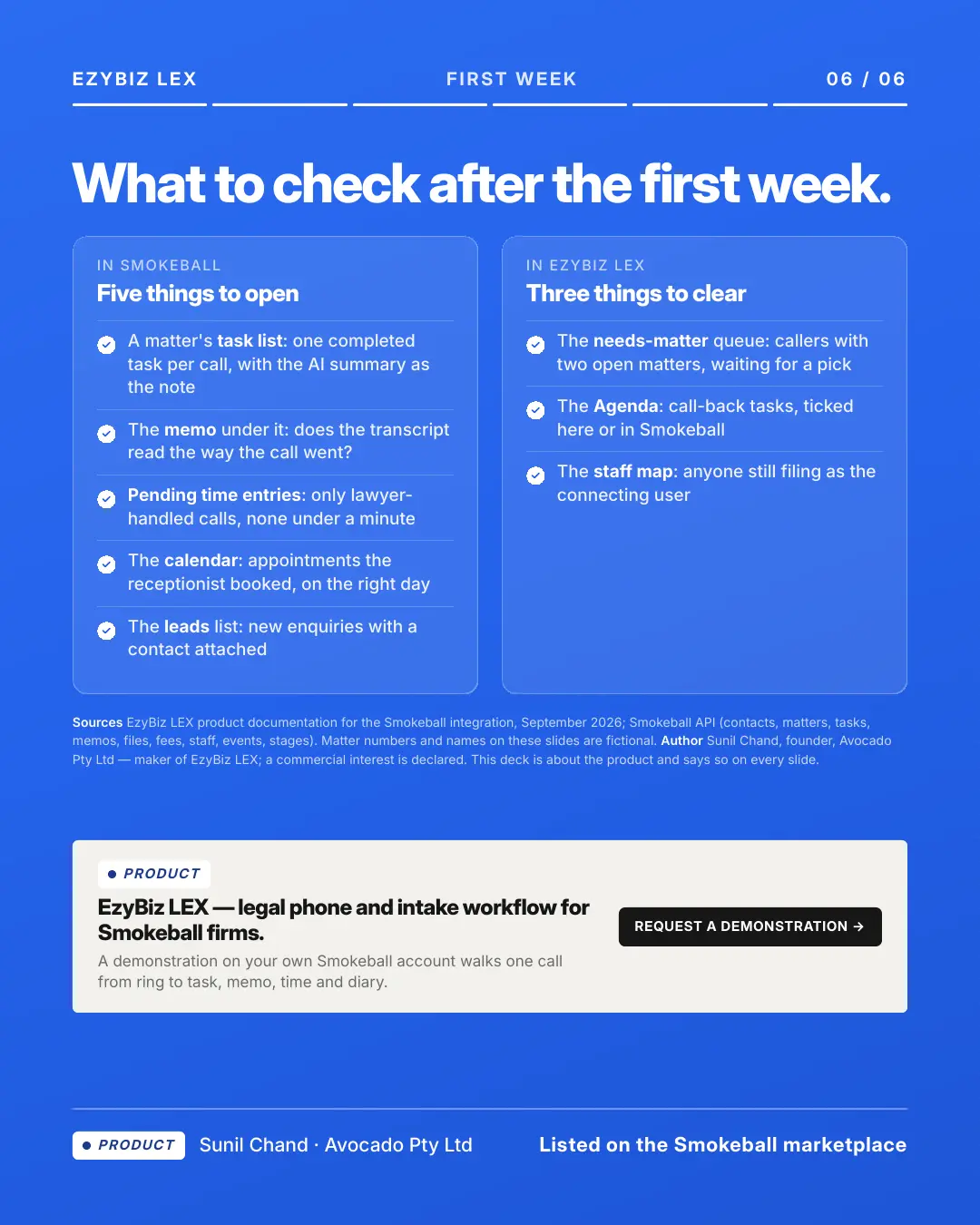
- Matters. The call files to the contact's default matter, or their single open matter. When there are two open matters it waits for a human to pick, then remembers the choice for next time.
- Tasks. One completed task per call, with the subject and note taken from the AI summary and attributed to the mapped staff member.
- Memos. The summary plus the full transcript on the matter, or a DOCX into an "EzyBiz Calls" folder linked to the task.
- AutoTime and fees (opt in). Call duration goes on the task so AutoTime creates a pending entry overnight, or a direct fee rounded up to the firm's increment. Lawyer-handled calls only.
- Call-back tasks. When the receptionist takes a message, an open task lands with the responsible staff member, due the next business day. Tick it in either system and it closes in both.
- Leads (opt in). An unknown caller with a new enquiry becomes a contact and a lead matter of the firm's chosen matter type, with the call filed to it.
- Calendar (opt in). Appointments the receptionist books are written to the firm calendar and linked to the matter where one exists, and reschedules and cancellations follow.
- SMS. One completed task per client per day for texts sent from the firm's number, filed on the default matter.
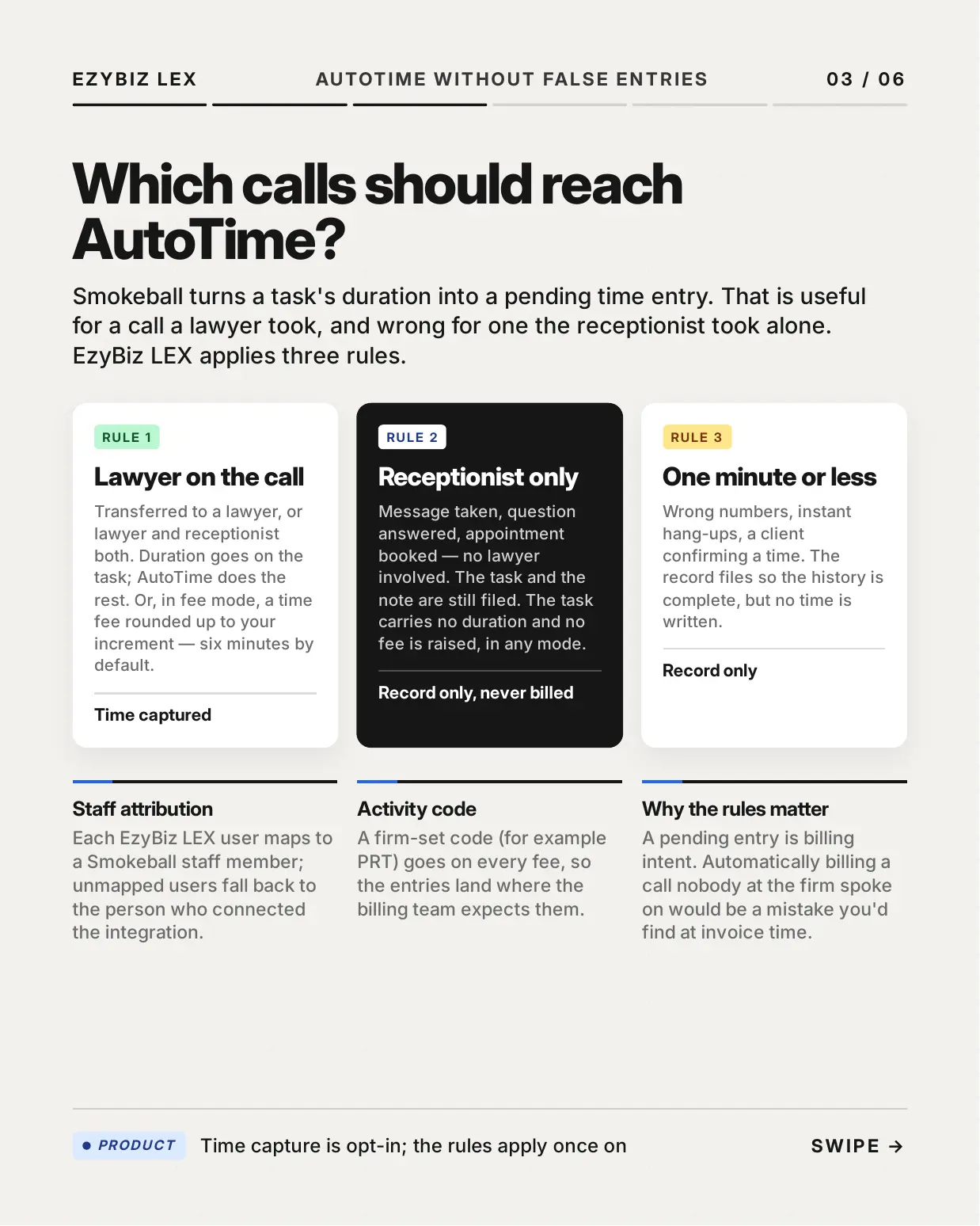
Time capture without false entries
Smokeball turns a task's duration into a pending time entry, which is right for a call a lawyer took and wrong for one the receptionist took alone. EzyBiz applies three rules: a call a lawyer was on captures time, a receptionist-only call files as a record with no duration and no fee, and anything of a minute or less files as a record only. Each EzyBiz user maps to a Smokeball staff member, a firm-set activity code goes on every fee, and time capture stays off until the firm turns it on.
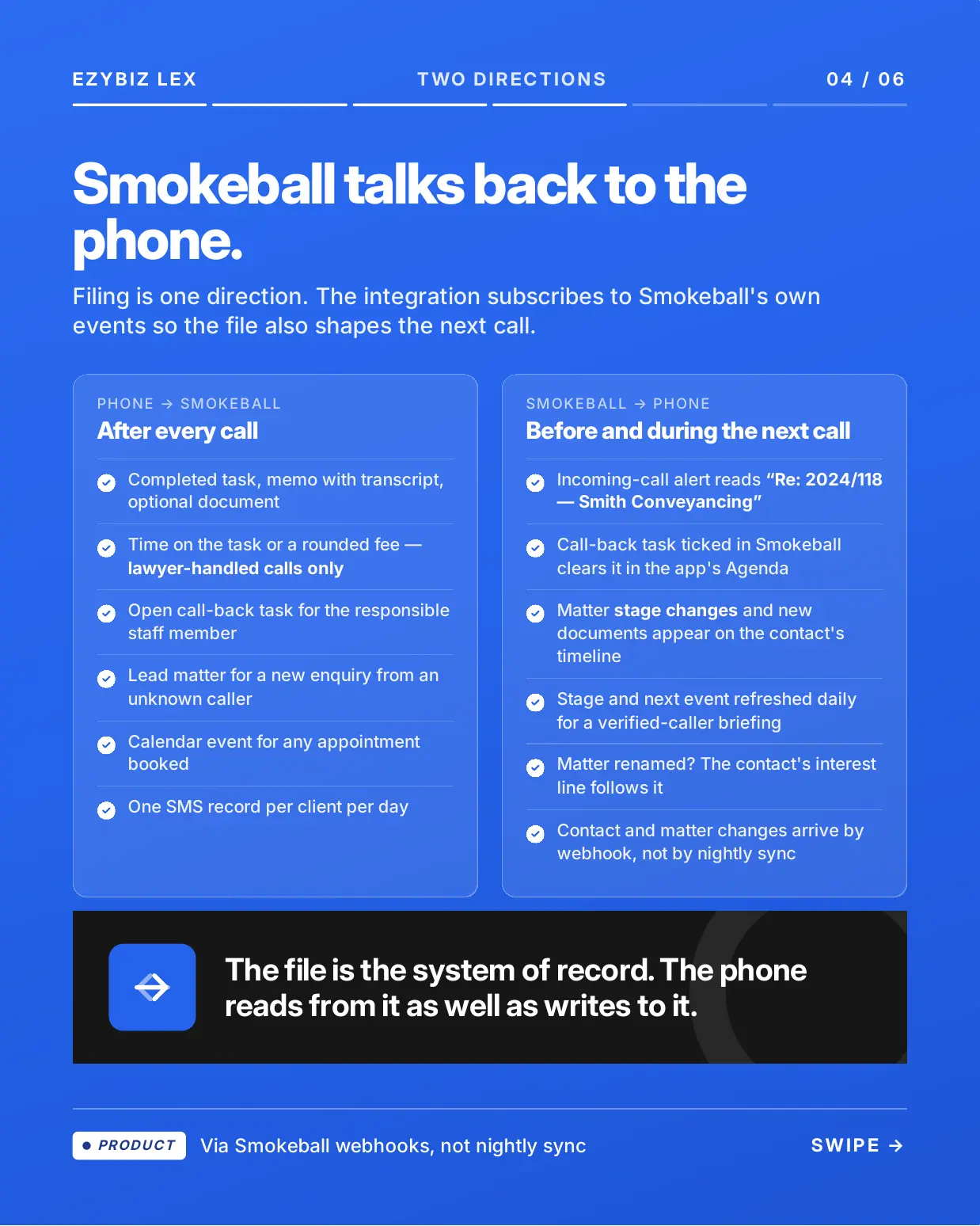
Smokeball talks back to the phone
Filing is one direction. The integration also subscribes to Smokeball's webhooks, so the file shapes the next call rather than waiting on a nightly sync. An incoming-call alert reads "Re: 2024/118, Smith Conveyancing" before anyone picks up. A call-back task ticked in Smokeball clears in the app's Agenda. Matter stage changes and new documents appear on the contact's timeline, and when a matter is renamed the contact's interest line follows it. With matter access turned on, an existing client can hear their matter's stage and next date after verifying with an SMS code, and nothing is disclosed unverified.
Setup
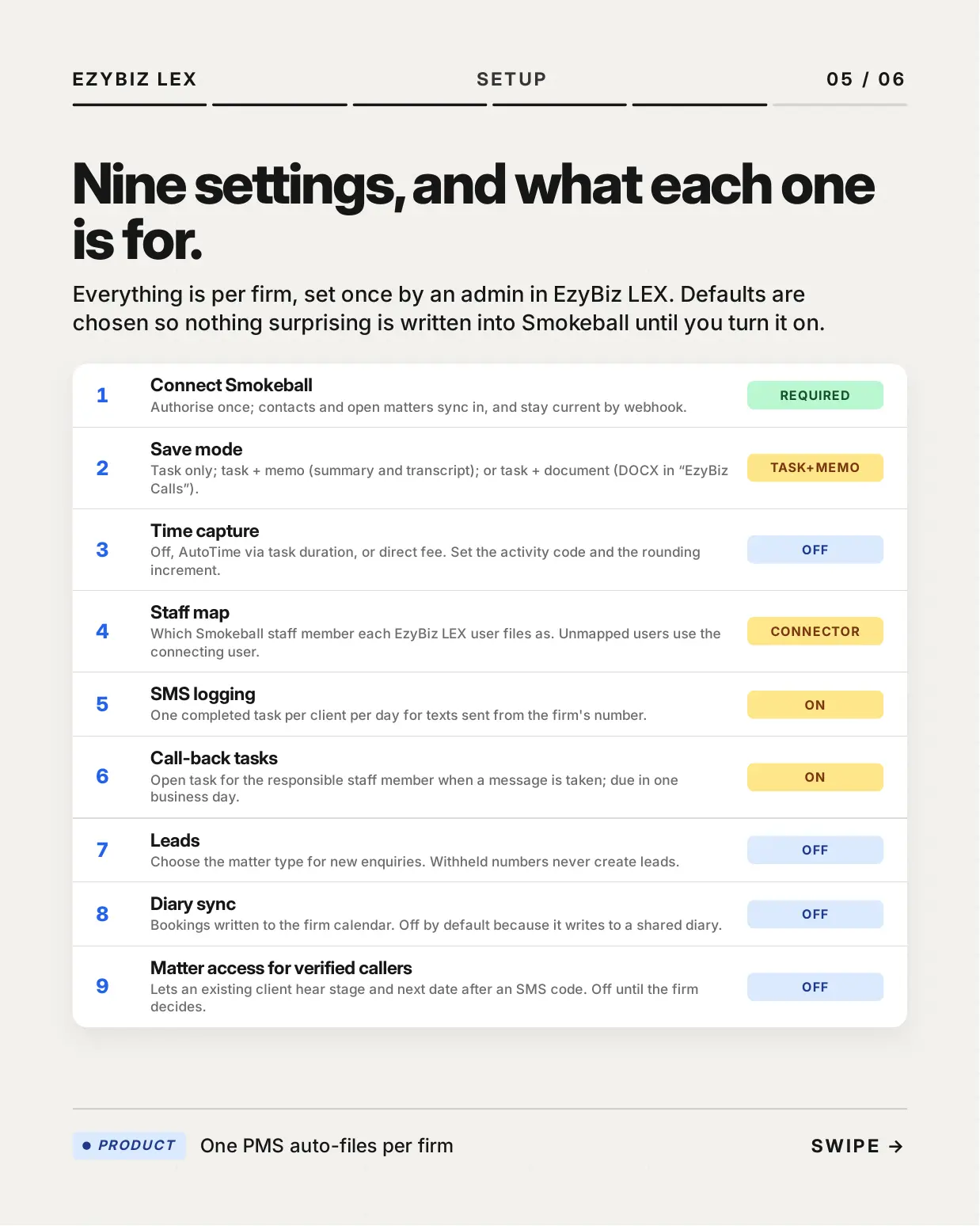
Everything is per firm, set once by an admin in EzyBiz. Authorise Smokeball once, and contacts and open matters sync in and stay current by webhook. From there the firm chooses a save mode (task only, task plus memo, or task plus document), time capture, the staff map, SMS logging, call-back tasks, leads, diary sync and matter access for verified callers. Defaults are chosen so nothing surprising is written into Smokeball until you turn it on.
Pricing and demonstration
EzyBiz LEX is available from A$79.99 per month plus GST. A demonstration on your own Smokeball account walks one call from ring to task, memo, time and diary. EzyBiz is made by Avocado Pty Ltd in Melbourne, Australia.
Media
Features
An AI receptionist on a number the firm owns
Every call is answered, a message taken or an appointment booked, and a lawyer can accept a live transfer from the app. For a known caller the incoming-call alert reads "Re: 2024/118, Smith Conveyancing" before anyone picks up, read off the contact's default matter.
Every call filed to the right matter
One completed task per call, with the subject and note taken from the AI summary and attributed to the mapped staff member, plus a memo carrying the summary and full transcript or a DOCX in an "EzyBiz Calls" folder linked to the task. The call lands on the contact's default matter or their single open matter, and when there are two open matters it waits for a human to pick, then remembers the choice.
Time capture that only bills lawyer-handled calls
Call duration goes on the task so AutoTime creates a pending time entry overnight, or a direct fee is raised, rounded up to the firm's increment and carrying a firm-set activity code. A call the receptionist took alone files as a record with no duration and no fee, and so does anything of a minute or less. Time capture is opt in, and every EzyBiz user maps to a Smokeball staff member.
Call-back tasks that close in both systems
When the receptionist takes a message, an open task lands with the responsible staff member in Smokeball, due the next business day. Tick it in Smokeball or in the EzyBiz Agenda and it closes in both, because the integration listens to Smokeball's task webhooks rather than a nightly sync.
Leads and diary sync, on when you want them
With leads turned on, an unknown caller with a new enquiry becomes a contact and a lead matter of the firm's chosen matter type, with the call filed to it, and withheld numbers never create leads. With diary sync turned on, appointments the receptionist books are written to the firm calendar and linked to the matter where one exists, and reschedules and cancellations follow. Both are off by default.
Smokeball talks back to the phone
Contacts and open matters sync in when you connect and stay current by webhook. Matter stage changes and new documents appear on the contact's timeline, a renamed matter updates the contact's interest line, and stage and next event are refreshed daily for a verified-caller briefing. With matter access turned on, an existing client can hear their matter's stage and next date after an SMS code, and nothing is disclosed unverified.
Nothing surprising is written until you turn it on
Nine per-firm settings, set once by an admin in EzyBiz: connect Smokeball, save mode (task only, task plus memo, or task plus document), time capture, staff map, SMS logging, call-back tasks, leads, diary sync, and matter access for verified callers. Time capture, leads, diary sync and matter access are off by default. Spam calls never file, and a call the resolver cannot place waits in a needs-matter queue instead of guessing.